
SAP S/4HANA Migration: Planning, Approaches, Challenges, and Key Steps
 admin
SAP S/4HANA migration is the transition from an existing SAP ERP environment to SAP S/4HANA through a new implementation, system conversion, or selective data transition. The right approach depends on the condition of the current system, business requirements, data quality, custom developments, and the amount of process change an organization needs.
For businesses moving from SAP ECC, migration involves more than transferring data to a new platform. Teams must assess existing processes, review technical requirements, identify custom-code changes, check integrations, and prepare employees for changes to the ERP environment.
A structured assessment helps organizations select an appropriate transition path and identify potential problems before they affect the project. Businesses evaluating their requirements can also review SAP consulting and migration support to understand the functional, technical, and architectural expertise involved.
What Is SAP S/4HANA Migration?
SAP S/4HANA migration refers to moving an existing SAP ERP environment or another business application to SAP S/4HANA. Depending on the selected approach, an organization may convert its existing system, build a new environment, or transfer selected data and processes.
Why Businesses Move From SAP ECC to SAP S/4HANA
SAP ECC has supported enterprise operations across finance, procurement, manufacturing, sales, and other business functions. Organizations planning their future ERP environment need to consider SAP's newer platform, its data model, and its available business capabilities.
Common reasons for considering the transition include:
Preparing for a new ERP environment and future business requirements.
Reviewing outdated custom developments and complicated system configurations.
Improving the consistency of business processes and reporting.
Addressing system maintenance, infrastructure, and integration requirements.
Reviewing how existing data and applications support business operations.
The decision should not be based only on technology age. Businesses should first determine whether their current processes and system landscape still support their operating requirements.
How SAP S/4HANA Changes the ERP Environment
SAP S/4HANA is built on the SAP HANA in-memory database and uses a simplified data model compared with SAP Business Suite 7 products. It also includes changes to applications, data structures, and business processes.
These differences mean that an existing SAP ECC environment cannot always move to S/4HANA without preparation. Organizations may need to review data structures, custom code, add-ons, interfaces, and business processes before selecting a transition method.
Area | What businesses should review |
|---|---|
Database | Compatibility with the SAP HANA database |
Data model | Changes to data structures and simplification items |
Custom code | Developments that require analysis or adaptation |
Business processes | Processes that may need adjustment |
User experience | Changes to applications and SAP Fiori usage |
Integrations | Compatibility of connected systems and interfaces |
The actual impact depends on the source system, target edition, and migration scenario. Businesses should use the relevant SAP documentation rather than assume every system requires the same changes.
When Businesses Should Start Planning Their Migration
Planning should begin before an organization commits to a migration approach or project schedule. Early assessment gives business and IT teams time to understand the current environment and identify dependencies.
Planning is particularly important when:
The current SAP environment contains extensive custom code.
Business units use different processes or system configurations.
Data quality problems affect reporting or daily operations.
Several third-party applications depend on SAP interfaces.
The organization wants to redesign processes rather than simply retain existing configurations.
Starting early also allows stakeholders to compare the cost, risk, and operational impact of different transition paths.
What Are the Main SAP S/4HANA Migration Approaches?
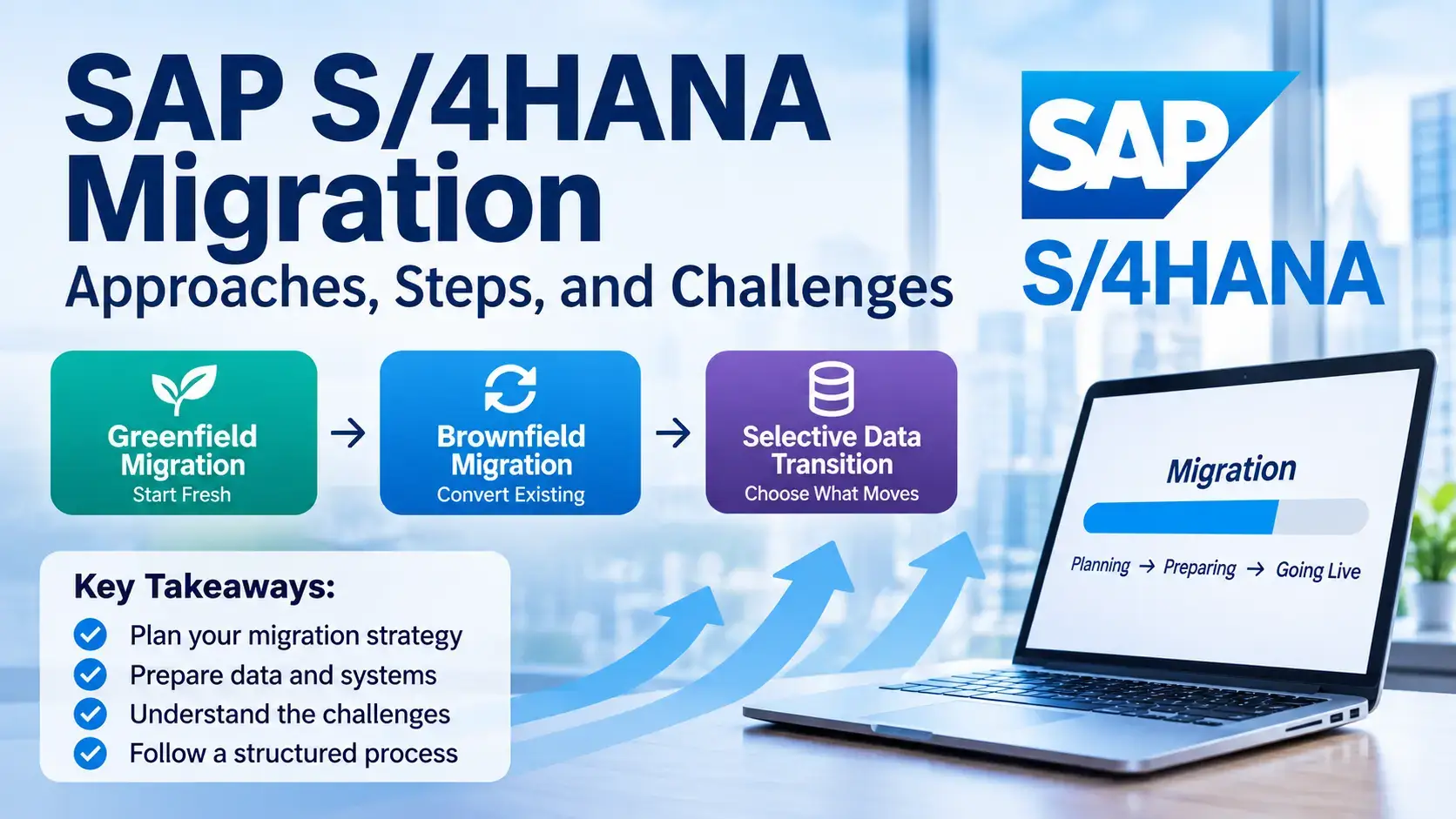
There are three principal transition approaches: greenfield, brownfield, and selective data transition. They differ in how much of the existing system, historical data, and business processes are retained.
Greenfield Migration Through a New Implementation
A greenfield migration involves implementing a new SAP S/4HANA environment instead of directly converting the existing SAP ECC system.
The organization reviews its business requirements, defines the target processes, and transfers the required data into the new environment. This provides an opportunity to reconsider outdated configurations and remove unnecessary complexity.
A greenfield approach may be suitable when:
Existing business processes need significant redesign.
The current SAP system contains extensive modifications.
The organization wants to standardize processes across business units.
Historical transactional data does not need to be carried into the new system in its entirety.
However, a new implementation requires careful process design, data preparation, testing, and user training. Rebuilding the environment does not automatically make the project simpler.
Brownfield Migration Through System Conversion
Brownfield migration, commonly called system conversion, converts an existing SAP ERP system into SAP S/4HANA.
Much of the existing system configuration and business history is retained, subject to required technical and functional changes. This can make it appropriate for organizations whose existing processes remain suitable for their future requirements.
A system conversion generally involves:
Reviewing the source system and target-version requirements.
Checking SAP simplification items and add-on compatibility.
Analyzing custom code and required adaptations.
Preparing the database and technical environment.
Running the conversion activities and completing follow-up checks.
The approach can reduce the need to redesign every business process, but it does not mean that all existing custom developments and configurations will work without changes.
Selective Data Transition and Hybrid Approaches
Selective data transition combines elements of system conversion and new implementation. Instead of retaining the entire existing environment or starting entirely from scratch, the organization selects which configuration, master data, and transactional data should move to the target system.
For example, a business may want to retain selected historical financial records while redesigning certain processes or leaving obsolete organizational structures behind.
This approach may suit organizations that:
Need to consolidate multiple SAP environments.
Want to retain selected historical information.
Plan to change some business processes but preserve others.
Need a phased transition across business units or company codes.
Selective data transition requires careful data-selection rules, transformation planning, and testing. It can also involve specialized tools and expertise beyond the standard activities used in other scenarios.
Decision factor | Greenfield | Brownfield | Selective data transition |
|---|---|---|---|
Existing processes | Redesign and standardize | Largely retain, with required changes | Selectively retain or change |
Historical data | Required data is selected for migration | Existing system data is retained through conversion | Selected historical data is transferred |
System configuration | New environment | Existing configuration converted | Selected configuration transferred or transformed |
Typical consideration | Process redesign | System continuity | Selective transformation |
Main challenge | New process design and data migration | Technical and functional compatibility | Data scope, transformation, and testing |
SAP's transition-path guidance and selective data transition information explain the differences between these options.
How to Prepare for an SAP S/4HANA Migration
Preparation helps organizations identify technical dependencies, business requirements, and migration risks before execution begins. The assessment should involve both business stakeholders and technical specialists.
Assess the Existing SAP System and Business Requirements
Start by documenting the current SAP environment and how different departments use it. This includes system versions, modules, organizational structures, business processes, integrations, and operational dependencies.
The assessment should answer questions such as:
Which business processes must continue without major changes?
Which processes need redesign or standardization?
Which SAP modules and applications are currently in use?
How many systems, company codes, and business units are involved?
Which historical records must remain accessible?
What reporting and compliance requirements must the target system support?
Business stakeholders should help define future requirements. A technical assessment alone may identify system constraints but miss important operational needs.
A SAP functional consultant can help review business processes, module requirements, and functional dependencies.
Review Data, Custom Code, Integrations, and System Readiness
The technical review should identify what needs to be corrected, adapted, replaced, or migrated.
Assessment area | Key checks |
|---|---|
Data | Duplicate records, incomplete information, data volume, and retention requirements |
Custom code | Unused developments, compatibility, and required code adaptations |
Integrations | Interfaces, connected applications, APIs, and third-party dependencies |
Add-ons | Compatibility with the target SAP S/4HANA version |
Infrastructure | Database, system sizing, and deployment requirements |
Security | User roles, authorizations, and access requirements |
SAP Readiness Check can help identify relevant preparation areas for supported transition scenarios. Depending on the scenario, its analysis can cover simplification items, system sizing, custom-code-related information, and integration topics. It provides assessment information; it does not perform the migration or replace detailed technical analysis.
Organizations should also review the relevant SAP system-conversion and simplification documentation.
A SAP technical developer can support custom-code analysis, development adaptation, and integration-related work.
Build the Migration Scope, Team, Budget, and Timeline
Once the current environment and future requirements are understood, the project team can define the migration scope.
The scope should identify:
The selected transition approach.
SAP systems, modules, and business units included.
Data to be migrated, archived, or retained separately.
Required process changes and technical adaptations.
Integration and reporting requirements.
Testing responsibilities and acceptance criteria.
Cutover activities and post-go-live support.
The project team may include SAP functional consultants, technical developers, solution architects, project managers, business process owners, data specialists, and infrastructure teams.
A SAP solution architect can help assess the target architecture, technical dependencies, and system integration requirements.
Budget and timeline estimates should follow the assessment. They should not be based on a universal migration duration because project complexity varies significantly.
What Are the Key Steps in the SAP S/4HANA Migration Process?
The exact sequence depends on the selected approach and SAP deployment model. However, most projects involve planning, preparation, migration or conversion, testing, cutover, and post-go-live validation.
Migration Planning, System Preparation, and Data Assessment
The first phase establishes the project scope and prepares the source and target environments.
Typical activities include:
Confirming business objectives and migration scope.
Selecting the transition approach.
Reviewing system requirements and compatibility.
Running relevant readiness and simplification checks.
Analyzing custom code, add-ons, and integrations.
Assessing data quality and migration requirements.
Preparing the project team, environments, and schedule.
For a system conversion, SAP's documented preparation sequence includes planning and system requirements, Maintenance Planner, simplification checks, custom-code preparation, and other prerequisite activities.
Organizations should follow the documentation for their specific source and target releases. The sequence and technical requirements can differ between deployment scenarios.
System Conversion, Configuration, and Data Migration
The next phase carries out the technical and data activities required by the chosen approach.
For a brownfield system conversion, the project team prepares the existing environment and uses the applicable SAP conversion procedure. SAP's Software Update Manager supports the conversion sequence, including database migration where required, software updates, and data conversion.
For a greenfield implementation, the team configures the target environment and transfers the required business data. The SAP S/4HANA Migration Cockpit supports applicable data-migration scenarios through migration projects and migration objects.
Selective data transition requires additional planning for data selection, transformation, and reconciliation.
A typical data-migration sequence includes:
Activity | Purpose |
|---|---|
Data assessment | Identify required records and data-quality issues |
Data mapping | Match source data to target structures |
Data preparation | Clean and correct records before transfer |
Test migration | Check the migration process in a non-production environment |
Validation | Compare migrated records with source information |
Final migration | Transfer approved data during the planned cutover |
The SAP Migration Cockpit documentation provides guidance on supported migration projects, objects, and procedures. Its availability and capabilities depend on the source system and target deployment.
Testing, Cutover, Go-Live, and User Readiness
Before production go-live, the organization must confirm that the system, data, integrations, and business processes work as expected.
Testing should include:
Functional testing: Check whether business processes work correctly.
Integration testing: Verify communication between SAP and connected applications.
Data validation: Confirm that migrated records are complete and accurate.
Regression testing: Check whether existing functions still work after changes.
User acceptance testing: Allow business users to validate the system against their requirements.
Performance testing: Assess whether the system can support expected workloads.
The project team should also prepare a cutover plan covering responsibilities, timing, final data activities, communication, and go/no-go approval.
After go-live, support teams should monitor system performance, investigate errors, resolve user issues, and validate critical business operations. A migration project should not be considered complete simply because the new system is accessible.
What Challenges Can Affect an SAP S/4HANA Migration?
Migration challenges often arise from the complexity of the existing environment rather than from one isolated technical task. Identifying these risks early gives the project team time to plan appropriate responses.
Data Quality, Custom Code, and Integration Issues
Poor data quality can affect reporting, financial records, inventory information, and business transactions after migration. Duplicate or incomplete records may also create problems during data mapping and validation.
Custom code creates another challenge. Developments created for the existing SAP environment may depend on data structures or functions that have changed in S/4HANA.
Integrations can also require attention when connected applications, interfaces, or third-party systems are not compatible with the target environment.
Challenge | Possible impact | Mitigation |
|---|---|---|
Duplicate or incomplete data | Incorrect records and reporting | Clean, map, and validate data |
Custom-code incompatibility | Errors or unavailable functions | Analyze and adapt required developments |
Integration problems | Interrupted data exchange | Test interfaces and connected applications |
Unsupported add-ons | Technical or functional issues | Check compatibility before conversion |
These issues should be addressed during preparation rather than left until the final migration stage.
Business Disruption, Testing, and Change Management
Migration affects the people and processes that depend on the ERP system. Even technically successful work can create operational problems if employees are not prepared for changed workflows or applications.
Common concerns include:
Limited availability of key business users for testing.
Incomplete testing of important business scenarios.
Unclear responsibilities during cutover.
Inadequate training for employees.
Delays in resolving issues discovered during testing.
To reduce disruption, organizations should involve business users throughout the project. Testing should cover normal operations as well as important exceptions, approvals, and cross-department workflows.
Training should be based on the actual changes users will experience in their roles.
Post-Migration Support, Performance, and System Stability
Go-live introduces the new environment into daily business operations. The project team should continue monitoring the system and addressing issues that appear under production workloads.
Post-migration activities should include:
Monitoring system performance and availability.
Checking critical business transactions.
Reviewing data consistency and reconciliation results.
Resolving functional and technical issues.
Monitoring interfaces and scheduled jobs.
Supporting users as they adjust to the new environment.
Documenting outstanding issues and assigning ownership.
A defined support period helps the organization move from project delivery to normal operations. The team should also review lessons from the migration and identify improvements for future releases or system changes.
Frequently asked questions
What is SAP S/4HANA migration?
SAP S/4HANA migration is the transition from an existing SAP ERP system or another business application to SAP S/4HANA. It can involve a new implementation, system conversion, or selective data transition.
What is the difference between greenfield and brownfield migration?
Greenfield creates a new SAP S/4HANA environment and allows greater process redesign. Brownfield converts an existing SAP ERP system and retains much of its current configuration and data, subject to required changes.
How do businesses prepare for SAP S/4HANA migration?
Businesses assess their existing SAP environment, define future requirements, review data quality, analyze custom code and integrations, check system readiness, and establish the project scope before selecting the migration approach.
What happens during an SAP S/4HANA system conversion?
A system conversion involves checking prerequisites, preparing the existing environment, performing the required technical conversion activities, adapting affected custom code, and testing the resulting system.
What are the biggest SAP S/4HANA migration risks?
Common risks include poor data quality, incompatible custom code, integration failures, inadequate testing, unclear project scope, and insufficient user preparation.
How long does an SAP S/4HANA migration take?
There is no universal timeline. Duration depends on the source system, data volume, custom developments, integrations, number of business units, selected approach, and testing requirements.
Which SAP S/4HANA migration approach should a business choose?
The choice depends on the condition of the existing system and the organization's future requirements. Greenfield may fit major process redesign, brownfield may fit organizations seeking system continuity, and selective data transition may fit businesses that need a combination of retained processes and selected data.
A well-planned SAP S/4HANA migration begins with a clear understanding of the current ERP environment and the business requirements for the target system. Comparing the available approaches, assessing technical dependencies, preparing data, and involving business users throughout the project can help organizations manage migration risks and make informed decisions.
Leave a comment:



2 comments on this post:
Ricky Smith
June 14, 2024It is a long established fact that a reader will be distrac readable content of a page when looking at its layout. The point of using is that it has two.
Joshua Jones
June 15, 2024It is a long established fact that a reader will be distra readable content of a page when looking at its layout. The point of using.