
ERP vs. MRP: What's the Difference for Manufacturing Businesses?
 admin
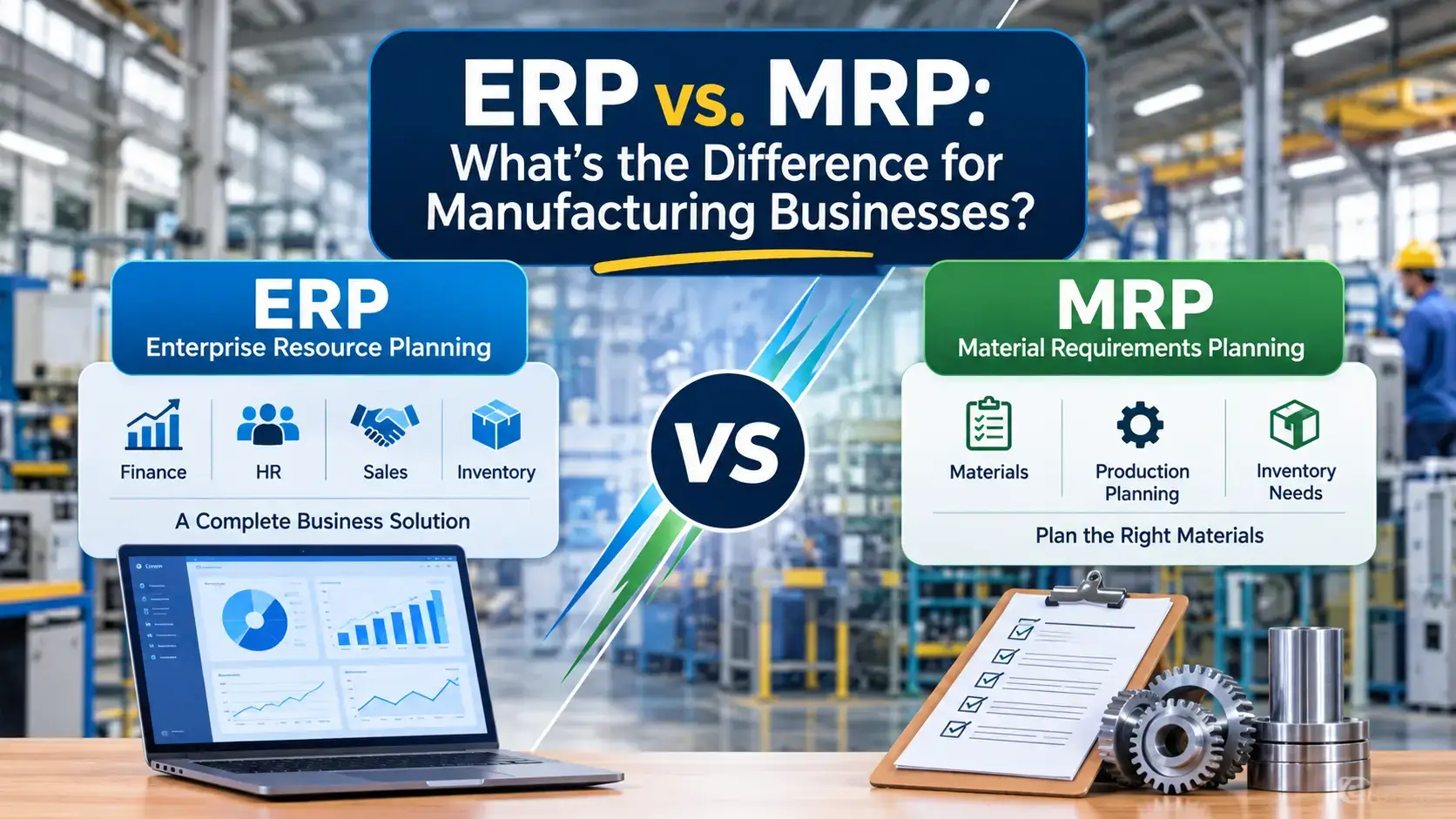
The ERP vs MRP question comes up in almost every manufacturing software project, and the short answer is this: MRP plans what to make and buy, while ERP runs the whole business around that plan. This guide explains how material requirements planning differs from enterprise resource planning, how the two work together and which one your plant actually needs.
Key takeaways
MRP (material requirements planning) calculates which materials you need, how much and by when, so production never stalls.
ERP (enterprise resource planning) connects production with finance, sales, purchasing, inventory, HR and the supply chain in one shared database.
Most modern ERP systems include MRP as a built-in module, so the choice is rarely either-or.
Pick standalone MRP only if production planning is your single pain point. Pick ERP when departments need shared, real-time data.
What Is MRP? Material Requirements Planning Explained
MRP stands for material requirements planning. It is a production planning method, usually delivered as software, that works out which raw materials and components a manufacturer must order, in what quantities and by what date, to meet customer demand. That is the whole MRP meaning in one sentence.
An MRP system needs three inputs:
Bill of materials (BOM): the list of every material, part and subassembly in a product.
Master production schedule (MPS): what you plan to build and when.
Inventory records: current stock of raw materials, work in progress and finished goods.
From those inputs, MRP works backward from the finished product through its assemblies to the raw materials, then outputs purchase orders, production orders and rescheduling recommendations. It is only as good as its data: as EBSCO's overview of material requirements planning notes, inaccurate inputs produce faulty output.
MRP also has clear limits. It focuses on materials and production planning, so it does not handle invoicing, payroll, customer relationships or financial reporting on its own.
What Is ERP? Enterprise Resource Planning in Plain Terms
ERP stands for enterprise resource planning. It is a suite of integrated modules that runs core business processes, including accounting, sales, procurement, inventory management, supply chain management, HR and manufacturing, from a single database. SAP puts the contrast neatly: MRP helps plan production, while ERP helps run the business.
When a salesperson enters an order, the same record can trigger a production plan, a purchase request, a delivery date and an invoice, with no re-keying. That shared data foundation is the real value of ERP.
ERP vs MRP: Key Differences at a Glance
Here is how the two compare across the factors manufacturers care about most:
Factor | MRP | ERP |
Primary purpose | Plan materials and production schedules | Run and connect the entire business |
Scope | Inventory, BOMs, production orders | Finance, sales, purchasing, HR, supply chain, manufacturing |
Typical users | Planners, purchasing and production teams | Every department, from finance to the warehouse |
Data | Production and inventory data | One shared database across departments |
Reporting | Material shortages and order schedules | Financials, KPIs and cross-functional dashboards |
Industry fit | Manufacturers | Manufacturers, distributors, retailers and service firms |
Rollout effort | Narrower scope, but needs integration with other tools | Broader scope and a longer implementation |
In short, the difference between ERP and MRP is scope. MRP is a specialist for one job, while ERP is the platform that connects that job to everything else. People also search for MRP vs ERP in the reverse order, but the comparison is the same.
How MRP, MRP II and ERP Evolved
Joseph Orlicky developed the core MRP approach in the 1960s, and businesses worldwide adopted it in the 1970s. In the 1980s, Oliver Wight extended it into MRP II, or manufacturing resource planning, adding capacity planning, scheduling and demand forecasting. That is why many people use "MRP" and "MRP II" interchangeably today.
In the early 1990s, ERP stretched the idea further by adding finance, HR, project management and other company-wide functions. ERP is the third step in one lineage: MRP, then MRP II, then ERP.
What Is MRP in ERP? How the Two Work Together
Most manufacturers don't choose between them. In a modern ERP, MRP is a module, often labeled Manufacturing or Production Planning, inside the larger suite. So when people ask what is MRP in ERP, the answer is the planning engine inside the platform. A typical MRP run looks like this:
A sales order or forecast creates demand.
The system explodes the BOM to list every component required.
It compares those requirements with stock on hand and open purchase orders.
It generates purchase requests and work orders to cover the shortfall.
Receipts, production and shipments post to inventory and finance automatically.
The first and last steps are where ERP goes beyond MRP, because demand arrives from sales and the results land in accounting. That is why ERP/MRP systems, also searched as MRP ERP systems, are the default for most growing plants. Odoo is a typical example: Top Remotely's Odoo consulting covers modules such as Inventory, Purchase, Manufacturing, Accounting and Sales on one platform.
Common Misconceptions About ERP vs MRP
A few myths cause bad software decisions:
"MRP and ERP are the same thing." They overlap, but MRP is one planning function while ERP spans the whole company.
"ERP replaces MRP." In practice, ERP usually contains MRP, so you gain MRP logic plus finance, sales and reporting.
"Only large plants need ERP." Smaller manufacturers often benefit most, because spreadsheets and disconnected tools hurt them first.
"MRP guarantees on-time production." MRP plans from the data you give it, so lead times, BOMs and stock counts must stay accurate.
Understanding these points keeps the ERP vs MRP comparison grounded in your real processes instead of vendor labels.
When Standalone MRP Is Enough
A standalone MRP system can still make sense when:
You manufacture in-house and production planning is your main pain point.
Your accounting, sales and CRM tools already work well and connect cleanly.
Your products have complex or multiple BOMs that need detailed scheduling.
Your budget or team size rules out a full ERP rollout for now.
The trade-off is integration. Running separate tools often means duplicate data entry, delayed reporting and a harder path when the business grows.
When ERP Is the Better Choice
Move to a full ERP when:
Departments rely on spreadsheets or disconnected tools that disagree with each other.
You need real-time visibility from purchasing to production to invoicing.
You are adding sites, product lines or sales channels.
Finance needs accurate product costing, margins and compliance reporting.
Demand changes often and demand forecasting must feed production and purchasing together.
Benefits of an ERP With Built-In MRP for Manufacturers
In the ERP vs MRP debate, it helps to know that manufacturing is the largest ERP user base. A 2026 roundup of manufacturing ERP statistics cites SolSyst data that manufacturers make up 47% of all ERP users. The same roundup reports vendor survey figures: 78% of organizations see improved productivity after implementation, and 62% report lower costs, especially in purchasing and inventory control. Treat these as directional, since they come from vendor-run surveys.
The practical benefits usually show up in five places:
Fewer shortages and less excess stock, because MRP logic and live inventory data sit together.
One version of the truth for sales, purchasing, production and finance.
Accurate costing, since material, labor and overhead flow into the same ledger.
Better scheduling through capacity planning tied to real orders.
Room to scale without stitching together more standalone tools.
Risk is real too. The same roundup cites average cost overruns of 215% on discrete manufacturing ERP projects, which is why scoping and partner choice matter.
How to Choose the Right ERP or MRP Solution
Use this checklist before you shortlist software:
Map your processes. Document how an order moves from quote to cash, including production.
Rate BOM complexity. Multi-level BOMs, variants and custom builds need strong manufacturing modules.
List your integrations. E-commerce, CRM, warehouse and shipping tools must connect.
Match the platform to your size. Mid-market and enterprise needs differ from those of a small plant.
Plan data cleanup early. Item masters, BOMs and inventory counts decide whether MRP output can be trusted.
Pick an implementation partner with manufacturing experience.
Top Remotely's ERP specialists work across Microsoft Dynamics 365, Odoo, SAP, NetSuite, Oracle ERP Cloud and Salesforce. Our process has four steps: consultation, strategy, implementation and final result, backed by documentation and training. If you are weighing options for a plant, see how we support manufacturing businesses, browse the ERP Resource Hub or learn what an ERP consultant does. You can also estimate your project cost.
Conclusion
The ERP vs MRP decision comes down to scope. MRP answers one question well: what do we need to buy and make, and when? ERP answers that question and connects the answer to finance, sales, purchasing and the rest of the business. For most growing manufacturers, an ERP with a strong built-in MRP module is the safer long-term path, while standalone MRP fits narrower, planning-only needs.
Whichever route you take, start with clean data, a clear process map and a partner who has delivered ERP implementation for manufacturers. Ready to compare options for your plant? Talk to a Top Remotely ERP expert and get a practical roadmap.
Frequently Asked Questions
What is the main difference between ERP and MRP?
The main difference is scope. MRP plans the materials and production schedules a manufacturer needs, while ERP connects production with finance, sales, purchasing, HR and supply chain in one system. MRP is a specialist tool; ERP is the full business platform.
Is MRP part of ERP?
Yes, in most modern systems. MRP is usually a module inside ERP, often called Manufacturing or Production Planning. It handles material planning, while the wider ERP handles accounting, sales, purchasing and reporting around it.
What is the difference between MRP and MRP II?
MRP calculates material needs using the bill of materials, production schedule and inventory records. MRP II, or manufacturing resource planning, adds capacity planning, scheduling and demand forecasting. Today the terms are often used interchangeably.
Can a manufacturer use MRP without ERP?
Yes. A standalone MRP system works when production planning is the main need and other tools already run well. The downside is integration, since separate systems can create duplicate data entry and slower reporting.
Which is better for small manufacturers, ERP or MRP?
It depends on pain points. If planning materials is the only problem, MRP may be enough. If spreadsheets, disconnected tools or weak financial visibility slow you down, a modular ERP with built-in MRP usually scales better.
What does MRP stand for in manufacturing?
MRP stands for material requirements planning. It determines which materials are needed, in what quantity and when, so production runs on schedule without overstocking. It relies on the bill of materials, master production schedule and inventory records.
Leave a comment:



2 comments on this post:
Ricky Smith
June 14, 2024It is a long established fact that a reader will be distrac readable content of a page when looking at its layout. The point of using is that it has two.
Joshua Jones
June 15, 2024It is a long established fact that a reader will be distra readable content of a page when looking at its layout. The point of using.