
ERP vs CRM: What’s the Difference and Do You Need Both?
 admin
adminERP vs CRM: What’s the Difference and Do You Need Both?
At first glance, ERP and CRM can seem like two different names for the same thing.Both help businesses organize information. Both can automate tasks. Both can give teams better visibility. And both promise to make day-to-day operations easier.So it’s understandable when someone asks:“Do we really need both?” The short answer is: sometimes yes, sometimes no.The real answer depends on how your business works, what problems you're trying to solve, and where your current systems are falling short.
Understanding ERP vs CRM isn't about choosing whichever software has more features. It's about understanding what each system is designed to manage—and whether your business needs one, the other, or both working together.
What Is an ERP?
An Enterprise Resource Planning system, commonly known as ERP, is designed to help businesses manage their internal operations from a connected environment.Think of an ERP as the system that helps keep the business itself organized.Depending on the platform and business requirements, an ERP can support areas such as:
Finance and accounting
Inventory
Procurement
Supply chain
Manufacturing
Human resources
Project management
Order management
Business reporting
Instead of having important information scattered across spreadsheets and disconnected applications, an ERP can bring different operational functions together.The biggest value isn't simply having everything in one place.It's having information that different departments can work with more consistently.
What Is a CRM?
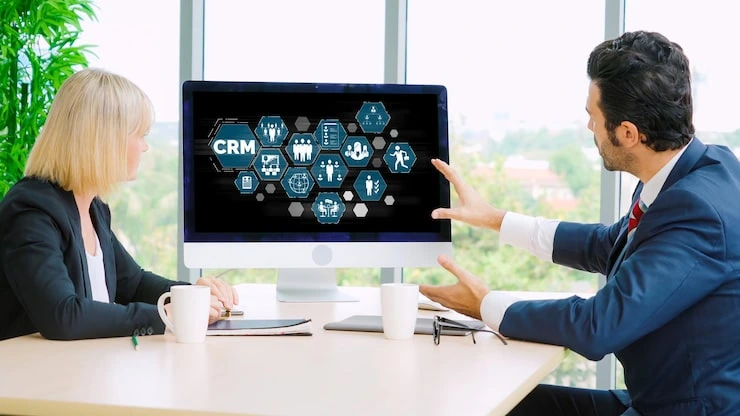
A Customer Relationship Management system, or CRM, focuses primarily on the relationship between a business and its customers.If an ERP is concerned with how the business operates internally, a CRM is more focused on how the business manages prospects, customers, and sales relationships.A CRM can help teams manage:
Leads
Customer information
Sales opportunities
Communication history
Follow-ups
Sales pipelines
Marketing activities
Customer interactions
For a sales team, having this information organized can make a huge difference.Instead of asking, “Who spoke to this customer last?” or searching through old emails to find a conversation, the team can have a clearer view of the relationship.That's the basic distinction at the heart of ERP vs CRM.
ERP vs CRM: The Simplest Way to Understand It
Here's an easy way to think about the difference.ERP manages the business behind the customer.CRM manages the relationship with the customer.Imagine a company receives a large order.The CRM may help the sales team manage the customer, track the opportunity, record conversations, and move the deal through the sales pipeline.
Once that order becomes a confirmed transaction, the ERP may become more important for handling inventory, purchasing, finance, fulfillment, and other internal processes.The two systems can therefore support different stages of the same business journey.
Where ERP and CRM Overlap
Things become a little confusing because modern business platforms often include overlapping functionality.An ERP may have customer management capabilities.A CRM may include quoting, invoicing, reporting, or other business tools.Some platforms even combine CRM and ERP functionality into one broader business management solution.That's why looking only at software labels can be misleading.Instead of asking:
“Is this software an ERP or CRM?”
“What business problem is this system designed to solve?”
That question will usually give you a much clearer answer.
ERP vs CRM: Which Teams Use Them?
Another useful way to understand ERP vs CRM is to look at who actually uses each system.
1. Teams That Typically Use ERP
ERP systems are commonly used by departments such as:
Finance
Operations
Procurement
Inventory
Supply chain
Manufacturing
HR
Management
These teams need visibility into the internal processes that keep the company running.
2. Teams That Typically Use CRM
CRM systems are commonly used by:
Sales
Marketing
Business development
Customer success
Account management
These teams spend more time attracting, converting, and retaining customers.Of course, there can be overlap.A sales team may need information from finance. Operations may need customer order details. Management may need information from both systems.That's where integration becomes important.
Do You Need an ERP or a CRM?
This is where the answer becomes more specific to your business.If your biggest challenge is managing leads, sales opportunities, customer communication, and follow-ups, you may need a CRM more urgently.If your main problems involve finance, inventory, purchasing, operations, or internal processes, an ERP may be more relevant.But what if you're struggling with both?That's when having both systems can make sense.
A growing business might use a CRM to manage the customer journey and an ERP to manage what happens after or alongside that customer relationship.The key is making sure the systems can work together rather than creating another information silo.
When Having Both Makes Sense
For some businesses, using both systems can create a much more connected operation.Imagine a customer contacts your sales team.The CRM stores the lead information and tracks the sales conversation.The customer places an order.That information can move into the ERP, where finance can manage the transaction and operations can handle inventory and fulfillment.The customer shouldn't have to care which system is being used behind the scenes.They simply expect the business to know what's happening.That's the real benefit of connecting the two.
When You May Not Need Both
Not every business needs two separate platforms.For a smaller company with relatively simple operations, purchasing and maintaining both an ERP and CRM could create unnecessary cost and complexity.Some businesses may find that an all-in-one platform covers enough of their requirements without needing separate systems.
Others may only need a CRM because their internal operations are still straightforward.This is why ERP vs CRM shouldn't turn into a checklist where having both automatically means you're more advanced.More software does not automatically mean a better business.The right amount of technology is the amount that genuinely helps your team work better.
The Hidden Cost of Choosing the Wrong System
One of the biggest mistakes businesses make is buying software based on features rather than requirements.A platform might offer hundreds of tools.That sounds impressive.But if your employees only use a small portion of them, you may be paying for complexity instead of value.There's also the cost of training, maintenance, integrations, data migration, and getting employees comfortable with a new system.And then there's an even bigger problem:
Your team may create workarounds.
People start using spreadsheets.They keep private notes.They send information through email.They maintain separate trackers.Eventually, you have a new system sitting in the middle of the business while employees continue working around it.That's not a technology problem alone.It's a planning problem.
ERP vs CRM: What Should You Evaluate First?
Before choosing software, take a step back.Start with the business not the product.
1. Look at Your Current Processes
How does a lead become a customer?
What happens after a sale?
How are orders processed?
How does finance receive information?
How is inventory tracked?
Where does customer information live?
Mapping these processes can quickly show where your biggest gaps are.
2. Identify the Real Pain Points
Don't just say:“We need better software.”Be more specific.
Maybe sales teams don't know which leads need follow-up.
Maybe finance spends hours reconciling information.
Maybe inventory data isn't updated quickly enough.
Maybe management has to combine several reports manually.
Specific problems lead to better technology decisions.
3. Think About the Future
Your business today isn't necessarily the business you'll have three years from now.You may add employees, products, locations, customers, or new markets.A system that works perfectly today might become restrictive as the business grows.That's why scalability should be part of the conversation from the beginning.
ERP vs CRM: Why Integration Matters
Choosing between ERP and CRM isn't always about picking one.Sometimes, the better question is:“How will our systems communicate with each other?” When CRM and ERP systems are connected properly, information can move between customer-facing and internal operations more smoothly.
Sales can have better visibility into order information.Finance can access relevant customer and transaction data.Operations can understand what has been sold.Management can get a broader view of business performance.Without integration, teams may end up entering the same information multiple times.And every additional manual entry creates another opportunity for errors.
What ERP Consulting Can Add to the Decision
This is where ERP consulting can be valuable.Businesses often know they have a technology problem but aren't sure what the right solution looks like.An ERP consultant can help evaluate the bigger picture rather than jumping straight into software selection.That means looking at:
Current systems
Business processes
Department requirements
Data flows
Integration needs
Growth plans
Technology gaps
Budget considerations
This kind of assessment can help determine whether your business needs an ERP, CRM, both, or something else entirely.That's especially important because ERP vs CRM isn't really a competition.They solve different problems.
Conclusion
Choosing between an ERP and CRM shouldn't be treated as a simple software comparison. Your decision should come from a clear understanding of your business processes, customer journey, operational needs, and future plans. If you're unsure where to start, professional consultation can help you evaluate your options before making a costly technology decision. The right system or combination of systems should support your people, simplify your workflows, and grow with your business.
Frequently Asked Questions
1. Is ERP the same as CRM?
No. ERP mainly focuses on internal business operations, while CRM focuses on customer relationships, sales, and related activities.
2. Can a business use both ERP and CRM?
Yes. Many growing businesses use both to connect customer-facing activities with finance, operations, inventory, and other internal processes.
3. Which should a small business choose first?
It depends on the biggest business challenge. A company focused on sales may benefit from a CRM first, while one struggling with finance or operations may need ERP capabilities.
4. Can ERP and CRM systems work together?
Yes. Integration can allow information to move between customer-facing and internal business processes, reducing duplicate data entry.
5. Is having both ERP and CRM expensive?
The cost depends on the platforms, users, features, integrations, and business requirements. Businesses should consider the total long-term cost rather than just the subscription price.
SEO Details
Primary Keyword: ERP vs CRM
Primary Keyword Usage: 15 times
Secondary Keywords:
ERP and CRM
ERP system
CRM system
ERP consulting
CRM software
ERP CRM integration
ERP consultation
business management software
Leave a comment:



2 comments on this post:
Ricky Smith
June 14, 2024It is a long established fact that a reader will be distrac readable content of a page when looking at its layout. The point of using is that it has two.
Joshua Jones
June 15, 2024It is a long established fact that a reader will be distra readable content of a page when looking at its layout. The point of using.