
Dynamics 365 Copilot Automation in Finance and Supply Chain
 admin
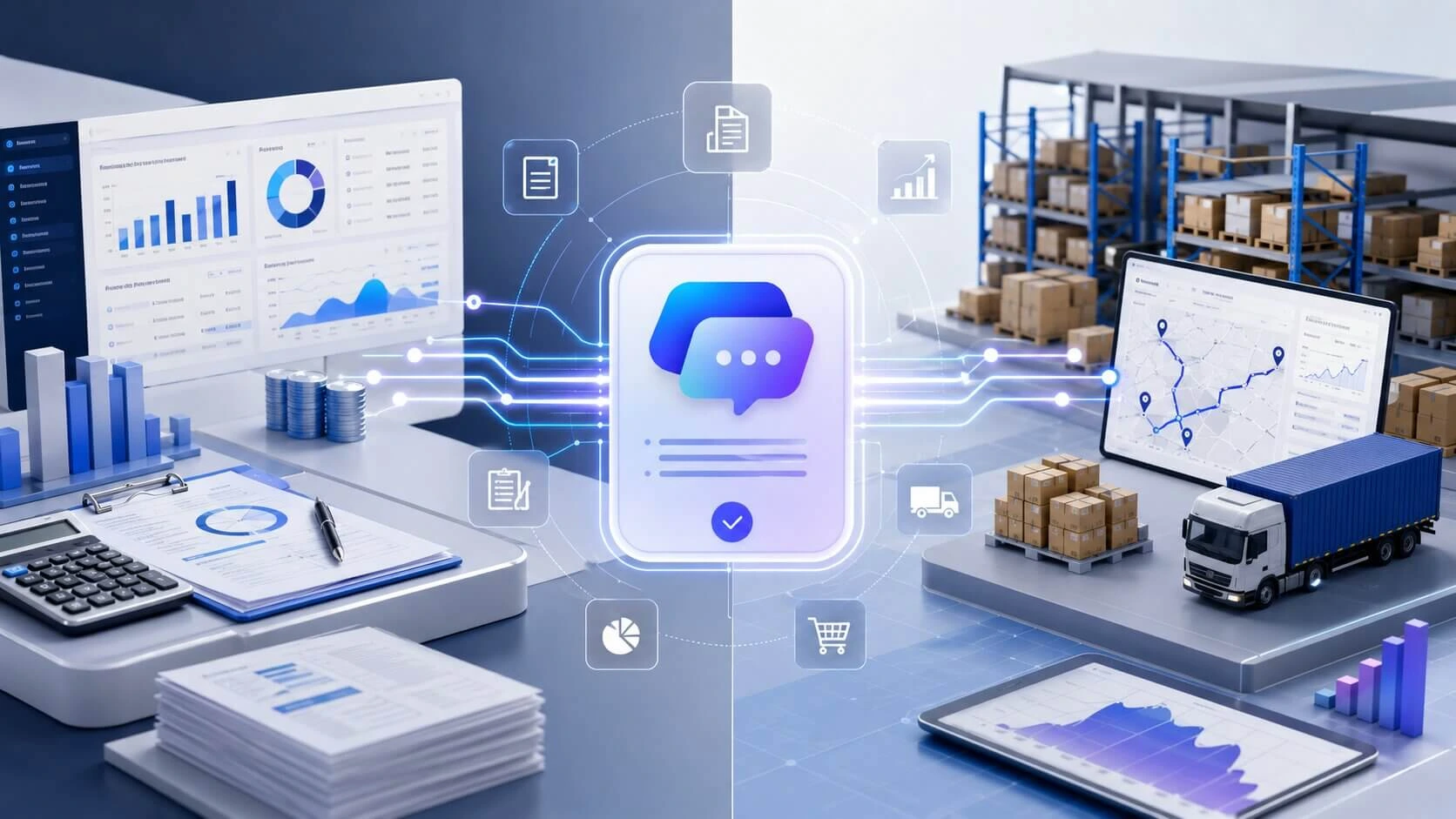
adminDynamics 365 Copilot brings AI assistance into Microsoft Dynamics 365, helping finance and supply chain teams work with ERP data, complete routine tasks, and get business information faster. Its role is not to replace every workflow. Instead, it adds assistance to finance automation, supply chain automation, analysis, summaries, and daily ERP operations.
Where Dynamics 365 Copilot Fits in Finance and Supply Chain
Microsoft Dynamics 365 Copilot works across areas such as Dynamics 365 Finance and Dynamics 365 Supply Chain Management. It can help teams review information, summarize records, analyze transactions, and support business decisions. The exact features available depend on the Dynamics 365 environment, configuration, permissions, and Microsoft’s supported capabilities.
Core Copilot Features Across Finance and ERP Operations
Dynamics 365 Copilot uses generative AI and natural language queries to help users work with information stored within business systems. Rather than searching through multiple screens for basic details, users can ask questions or request summaries where supported.
Common capabilities include:
AI-generated summaries for selected finance and supply chain records
Financial data analysis and business information summaries
Support for accounts receivable and collections management
Assistance with purchase orders and sales orders
Information related to inventory management and inventory visibility
Support for warehouse management activities
Assistance with supply chain planning and related information
These features make AI in Dynamics 365 useful for teams that spend significant time reviewing ERP records and preparing information before taking action.
Finance and Supply Chain Tasks Copilot Can Automate
The level of automation varies by task. Some capabilities provide information or recommendations, while others can support workflow actions through connected AI agents and business processes.
Area | Typical Copilot Support |
Finance | Analysis, summaries, collections support |
Accounts receivable | Customer and payment information |
Procurement | Purchase order and supplier information |
Inventory | Inventory queries and visibility |
Supply planning | Planning information and forecasts |
Warehouse | Workload and operational summaries |
For finance teams, financial process automation can reduce time spent gathering information for financial reporting, invoice management, and cash flow forecasting. In supply chain operations, it can help teams work with demand forecasting, procurement, supplier management, and inventory information more efficiently.
Copilot Automation Compared With Traditional ERP Workflows
Traditional ERP automation usually follows predefined rules. A workflow may trigger an approval, send a notification, or move a record after a specific condition is met. Dynamics 365 Copilot adds a language-based layer that can interpret requests, summarize information, and assist users with tasks.
The difference is easier to see this way:
Traditional workflows follow fixed rules.
Copilot can respond to natural-language requests.
AI agents can handle selected multi-step processes when properly configured.
Employees still review important financial and operational decisions.
This makes Dynamics 365 AI a useful addition to existing ERP processes rather than a replacement for every rule-based workflow. Teams can continue using established controls while adding AI assistance where it fits their finance and supply chain operations.
Finance Tasks Dynamics 365 Copilot Can Automate
Dynamics 365 Copilot supports finance teams by reducing the time spent reviewing records, preparing summaries, and finding financial information. Within Dynamics 365 Finance, its capabilities can assist with financial analysis, accounts receivable, collections management, invoice management, reporting, and other routine finance activities.
Financial Analysis Reporting and Business Insights
Finance teams often work with large amounts of financial data, including transactions, customer balances, invoices, and account information. Copilot in Dynamics 365 Finance can help users review this information and produce useful summaries without manually checking every record.
It can support tasks such as:
Reviewing financial information and transaction details
Creating summaries from available ERP data
Supporting financial reporting and analysis
Helping users find relevant business information
Providing assistance through natural language queries
This can make day-to-day analysis easier for finance professionals who need information before making a business decision. However, users should still verify important figures and reports before using them for financial decisions.
Accounts Receivable Collections and Invoice Management
Accounts receivable teams spend considerable time checking customer balances, reviewing invoices, and following up on overdue payments. Dynamics 365 Finance Copilot can assist with parts of this work by bringing relevant customer and payment information together.
For collections management, Copilot can help users review customer payment information and prepare communication related to outstanding balances. It can also support invoice management by helping finance staff work with invoice and transaction details.
Useful areas include:
Reviewing customer payment history
Checking outstanding invoices
Supporting debt collection activities
Preparing reminder letters
Summarizing customer account information
These capabilities can reduce repetitive information-gathering work while allowing finance employees to make the final decisions on customer accounts and payment actions.
Cash Flow Forecasting, General Ledger and Routine Finance Work
Cash flow forecasting requires finance teams to review available financial information and assess expected inflows and outflows. AI assistance can help users work with this information more efficiently, although forecasting quality still depends heavily on the quality and completeness of the underlying data.
General ledger activities also rely on accurate transaction records and financial controls. Copilot can assist with information retrieval, summaries, and analysis around supported finance processes, while established approval and accounting procedures remain important.
For routine finance work, the main value comes from reducing time spent on repetitive information tasks, such as:
Reviewing transaction data
Finding financial records
Preparing information for financial reporting
Checking customer and invoice details
Supporting finance team decision-making
The goal is not to hand every accounting task to AI. Dynamics 365 Finance continues to provide the core ERP system, while Microsoft Copilot adds assistance where supported. Finance teams can therefore use AI alongside existing controls, workflows, and human review.
Supply Chain Tasks Dynamics 365 Copilot Can Automate
Dynamics 365 Copilot can assist supply chain teams with inventory management, demand forecasting, procurement, supplier management, and warehouse activities. Within Dynamics 365 Supply Chain Management, Copilot can help users find information, summarize records, and work with supply chain data without replacing established workflows and human decisions.
Inventory Management, Demand Forecasting and Supply Planning
Managing inventory requires regular checks of stock levels, product availability, demand, and incoming orders. Copilot in Dynamics 365 Supply Chain Management can help users work with inventory visibility and available product information more quickly.
For supply planners, demand forecasting and supply planning involve reviewing several sources of information before deciding what needs to be ordered or produced. Copilot can provide summaries and help users access relevant information within supported processes.
Common areas include:
Reviewing inventory management information
Checking product availability and stock details
Supporting demand forecasting activities
Reviewing supply and order information
Helping teams work with supply chain planning
This is particularly useful when employees need quick answers about inventory or orders but still need to check the underlying records before making planning decisions.
Procurement Purchase Orders and Supplier Management
Procurement teams deal with suppliers, purchase orders, delivery information, and product requirements every day. Dynamics 365 Copilot can help users review purchase orders and related information through summaries and natural-language assistance.
A buyer may need to check order status, supplier details, quantities, or delivery information before taking action. Instead of manually reviewing several fields, Copilot can provide relevant information in a more accessible format where the feature is available.
It can support areas such as:
Procurement information and supplier records
Purchase order summaries
Supplier and order details
Product and purchasing information
Review of purchasing-related records
For supplier management, human review remains important because purchasing decisions can affect costs, delivery schedules, inventory levels, and customer commitments.
Warehouse Operations Sales Orders and Fulfillment Workflows
Warehouse teams manage receiving, picking, packing, inventory movement, and order fulfillment. Warehouse management can involve large amounts of operational information, making quick access to order and workload details useful.
Within supported Dynamics 365 Supply Chain Management capabilities, Copilot can help summarize warehouse workloads and provide information related to sales orders and supply chain records.
Teams can use this assistance to:
Review warehouse workload information
Check sales order summaries
Find order and product details
Review fulfillment-related information
Support order management activities
Copilot does not remove the need for warehouse controls or employee decisions. Instead, it can help staff spend less time searching through ERP screens and more time handling operational tasks. When combined with existing workflows, Microsoft Copilot, Dynamics 365 AI, and ERP automation can provide an additional layer of assistance across daily supply chain operations.
How AI Agents Extend Dynamics 365 Copilot Automation
AI agents in Dynamics 365 can take automation beyond simple questions and summaries. They can support selected multi-step tasks by working with ERP data, business rules, and connected applications. With Microsoft Copilot, Copilot Studio, and Microsoft Power Platform, organizations can build workflows that require less manual handling while keeping people involved.
Copilot and AI Agents for Multi-Step Business Processes
Dynamics 365 Copilot mainly helps users find information, summarize records, and complete supported tasks. AI agents can go further by carrying out a sequence of actions based on defined instructions, permissions, and business processes.
For finance and supply chain teams, this may include workflows involving:
Accounts receivable and customer payment information
Procurement and purchase orders
Inventory management and stock information
Supplier-related tasks and supplier management
Finance and supply chain planning processes
The difference is important. A Copilot response may tell a user what is happening with an order, while an AI agent can potentially perform several connected actions when the required capabilities and permissions are available.
Custom Workflows With Copilot Studio and Power Platform
Businesses may need processes that are not covered by standard Dynamics 365 Finance or Dynamics 365 Supply Chain Management features. Microsoft Copilot Studio allows organizations to create and configure agents for specific business needs.
When connected with Microsoft Power Platform, these agents can work with business applications and approved data sources. This can support business process automation across different systems instead of limiting assistance to one ERP screen.
A custom agent may be designed to:
Receive a user request or workflow trigger.
Check relevant ERP data.
Apply defined business rules.
Take approved actions.
Return information to the employee for review.
The available actions depend on the system setup, connectors, permissions, and specific Microsoft capabilities. Good configuration is important because an agent should only access and change information it is authorized to handle.
Where Automation Ends and Human Approval Remains Essential
Not every finance or supply chain task should run without human involvement. Financial transactions, supplier decisions, customer communications, and changes affecting inventory or orders may require review before an action is completed.
A practical setup separates tasks by risk:
Task type | Suitable approach |
Information search | Copilot assistance |
Record summaries | Copilot assistance |
Routine workflow actions | AI agent where supported |
Financial decisions | Human review |
Supplier or customer decisions | Human approval |
Sensitive transactions | Controlled approval process |
Human oversight, security, access controls, and data quality remain important when using AI agents. The purpose of automation is to handle suitable repetitive work while employees retain control over decisions that require accounting knowledge, business judgment, or authorization.
Making Dynamics 365 Copilot Work for Your Business
Dynamics 365 Copilot works best when it is connected to reliable ERP data, clear business processes, and suitable access controls. Before introducing AI in Dynamics 365, businesses should check their data, select useful tasks, and set clear rules for human review, security, and performance measurement.
Data Quality, Security, Permissions and System Readiness
Good data quality is important because Copilot and AI agents rely on information stored in business systems. Incorrect customer records, outdated inventory figures, or incomplete financial information can affect the usefulness of AI-assisted results.
Before using Microsoft Copilot across Dynamics 365 Finance or Dynamics 365 Supply Chain Management, teams should review:
Customer, supplier, product, and transaction records
Inventory visibility and stock information
Financial data and accounting records
User roles and access controls
Security settings and permissions
Existing ERP workflows and integrations
Permissions also matter. Employees and AI agents should only access information that their assigned roles allow. Businesses should also check which Copilot features are available for their specific Microsoft Dynamics 365 environment, region, configuration, and licensing setup.
Choosing Finance and Supply Chain Processes to Automate
Not every task needs AI assistance. The best starting point is usually a process that happens frequently, requires repeated information gathering, and does not require a complex decision at every step.
Suitable areas may include:
Accounts receivable information review
Collections management support
Invoice management
Financial reporting preparation
Purchase order summaries
Procurement information
Inventory management queries
Warehouse management summaries
Demand forecasting and planning support
A simple process review can help identify where finance automation or supply chain automation makes sense. Teams should document the current workflow, identify repetitive steps, and decide which actions Copilot can assist with and which actions require employee approval.
Measuring Productivity, Accuracy and Business Value
After implementation, businesses need clear measures to see whether Dynamics 365 automation is helping. Looking only at how often employees use Copilot does not show whether it is useful.
Useful measures can include:
Area | What to measure |
Productivity | Time spent on routine tasks |
Accuracy | Errors and corrections |
Finance | Invoice and collections processing time |
Supply chain | Time spent finding order or inventory information |
User experience | Employee adoption and feedback |
Operations | Workflow completion time |
Teams can compare performance before and after introducing Dynamics 365 Copilot. They should also review AI-generated information for accuracy, especially when it affects financial reporting, customer accounts, purchasing, inventory, or supply planning.
A regular review helps businesses decide which AI-powered ERP features are useful, which workflows need adjustment, and where human involvement should remain part of the process.
Conclusion
Dynamics 365 Copilot can assist finance teams with financial analysis, accounts receivable, collections management, invoice management, and reporting. In supply chain operations, it can support inventory management, procurement, demand forecasting, purchase orders, and warehouse management.
Its value depends on reliable ERP data, suitable permissions, and clear business processes. AI agents, Copilot Studio, and Microsoft Power Platform can extend Dynamics 365 automation into selected multi-step workflows. Human review remains important for financial decisions, sensitive transactions, supplier choices, and other tasks where business judgment is required.
Frequently Asked Questions
What does Dynamics 365 Copilot automate?
Dynamics 365 Copilot can assist with tasks such as financial analysis, accounts receivable, collections management, invoice management, inventory management, procurement, purchase orders, and warehouse management.
Can Dynamics 365 Copilot automate finance tasks?
Yes. Dynamics 365 Finance Copilot can support financial data analysis, customer payment information, collections activities, invoice-related work, reporting, and other supported finance processes.
Can Dynamics 365 Copilot help with supply chain management?
Yes. Dynamics 365 Supply Chain Management includes Copilot capabilities that can assist with inventory visibility, demand forecasting, supply planning, procurement, sales orders, and warehouse information.
What is the difference between Copilot and AI agents in Dynamics 365?
Microsoft Copilot mainly assists users with information, summaries, and supported tasks. AI agents in Dynamics 365 can handle selected multi-step processes based on defined instructions, permissions, and available system capabilities.
Can Copilot help with accounts receivable and collections?
Yes. Accounts receivable teams can use supported Copilot capabilities to review customer information, payment details, outstanding balances, and collections management activities.
Can Dynamics 365 Copilot help with inventory management?
Yes. Copilot can assist users in accessing inventory management information and inventory visibility data, helping teams find product and stock information more quickly within supported Dynamics 365 features.
Is Dynamics 365 Copilot a replacement for finance employees?
No. Dynamics 365 Copilot is designed to assist employees rather than remove the need for human judgment. Financial decisions, approvals, sensitive transactions, and accounting controls should continue to involve appropriate human review.
How can businesses prepare for Dynamics 365 Copilot?
Businesses should review data quality, security, access controls, ERP workflows, and user permissions before implementation. They should also identify suitable finance automation and supply chain automation tasks and define where human approval is required.
Leave a comment:



2 comments on this post:
Ricky Smith
June 14, 2024It is a long established fact that a reader will be distrac readable content of a page when looking at its layout. The point of using is that it has two.
Joshua Jones
June 15, 2024It is a long established fact that a reader will be distra readable content of a page when looking at its layout. The point of using.